Instant delivery
Most emails arrive in just a few seconds. Perfect for OTPs, magic links, and one‑time login flows.
Get the MailBufflao app
Keep disposable inboxes just a tap away. Generate addresses, receive verification codes, and copy OTPs directly from your phone.
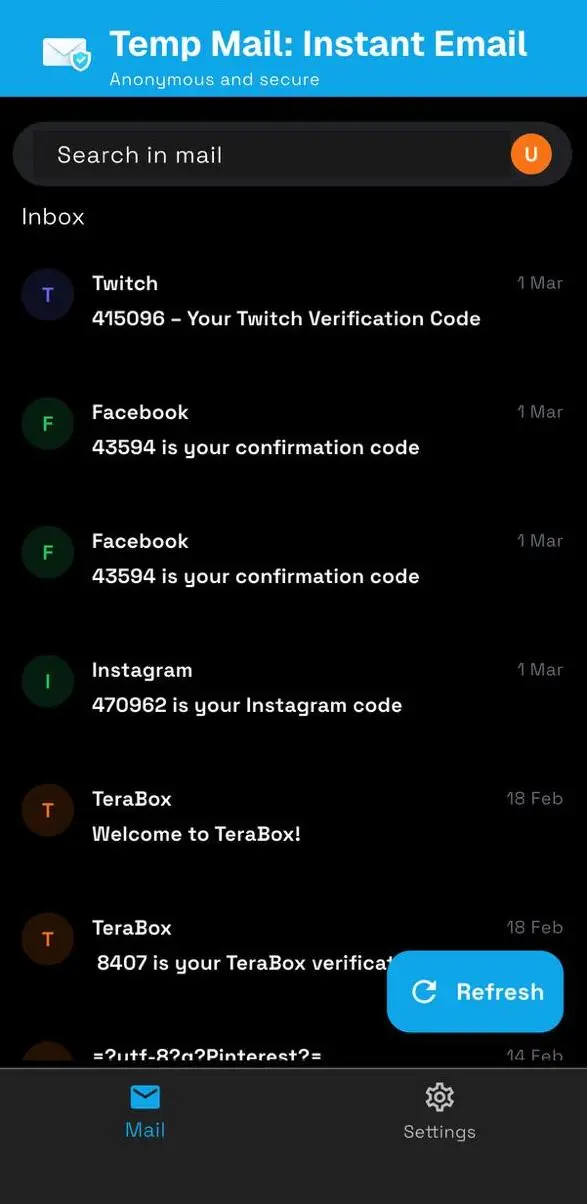
MailBuffalo gives you disposable email addresses that work in seconds. Perfect for verification codes, OTPs, and sign-ups where you don't want spam later.
Your verification code
Just nowUse 482 913 to verify your account. This code expires in 10 minutes.
Welcome to MailBuffalo
2 min agoThanks for trying disposable inboxes. Here's how to keep your real email safe.
Built for privacy-first browsing
Use MailBuffalo when testing apps, signing up for newsletters or verifying accounts. Keep spam and leaks away from your primary inbox while still receiving the messages you need in seconds.
The flow is intentionally simple — no accounts, no passwords, just disposable email addresses that start receiving messages instantly.
Ideal for developers, QA testers, growth marketers, and anyone who regularly needs to receive one‑off verification emails.
Choose a ready‑made inbox or generate a random address. No login or registration is required — every address is public and temporary.
Paste the email into any sign‑up, OTP, or verification form. As soon as the service sends a message, it appears in your MailBuffalo inbox.
Open the email, grab the code or link, and you're done. Inboxes are cleared automatically so your trail stays short‑lived.
MailBuffalo focuses on the essentials: receive emails quickly, protect your primary inbox, and stay in control of your digital footprint.
Most emails arrive in just a few seconds. Perfect for OTPs, magic links, and one‑time login flows.
Open the site, pick an address, and you're ready. There's nothing to remember or manage.
Inboxes are not meant for long-term use. They exist long enough to receive and read your mail, then can be cleared.
Keep marketing blasts, test messages, and one-off signups away from the email you actually care about.
Test your onboarding and email flows across multiple addresses without polluting any real user inboxes.
MailBuffalo is intentionally focused. No folders, no complex rules, no inbox management — just fast, disposable inboxes that do one job well.
Answers to the most common questions about using MailBuffalo for temporary email.
What is MailBuffalo?
MailBuffalo is a free online service that provides temporary email addresses to receive emails instantly. You can use these disposable email addresses to get verification codes, OTPs, or messages when signing up on websites or apps without sharing your personal email address.
To receive emails online, simply select an email address from the MailBuffalo website, use it for registration or verification, and check the inbox to view the email. This helps protect your privacy, avoid spam, and makes it easy to test apps or services that require email verification.
No, the free email addresses provided by MailBuffalo are only for receiving emails online. They are designed specifically for purposes like getting verification codes, OTPs, and emails from websites or apps. These email addresses cannot be used for making emails or receiving incoming emails, as their main function is to help you protect your privacy and complete online verifications safely.
In most cases, emails and verification codes arrive within just a few seconds. Sometimes, due to server delays or heavy traffic, it may take up to 5 minutes. MailBuffalo ensures quick delivery so you can complete your registrations and verifications without long waits.
Yes, using MailBuffalo to receive emails is safe. All emails are handled securely, and we never share your data with third parties. Since the email addresses are temporary and public, we recommend using them only for quick verifications and not for sensitive accounts that contain personal or financial information.
Get the MailBufflao app
Keep disposable inboxes just a tap away. Generate addresses, receive verification codes, and copy OTPs directly from your phone.