Frequently asked questions about MailBuffalo

Practical answers about temp mail, buffalo mail addresses, and how disposable email helps with spam protection for users in Buffalo, NY and anywhere else you browse from.

What is temp mail and how does MailBuffalo work?

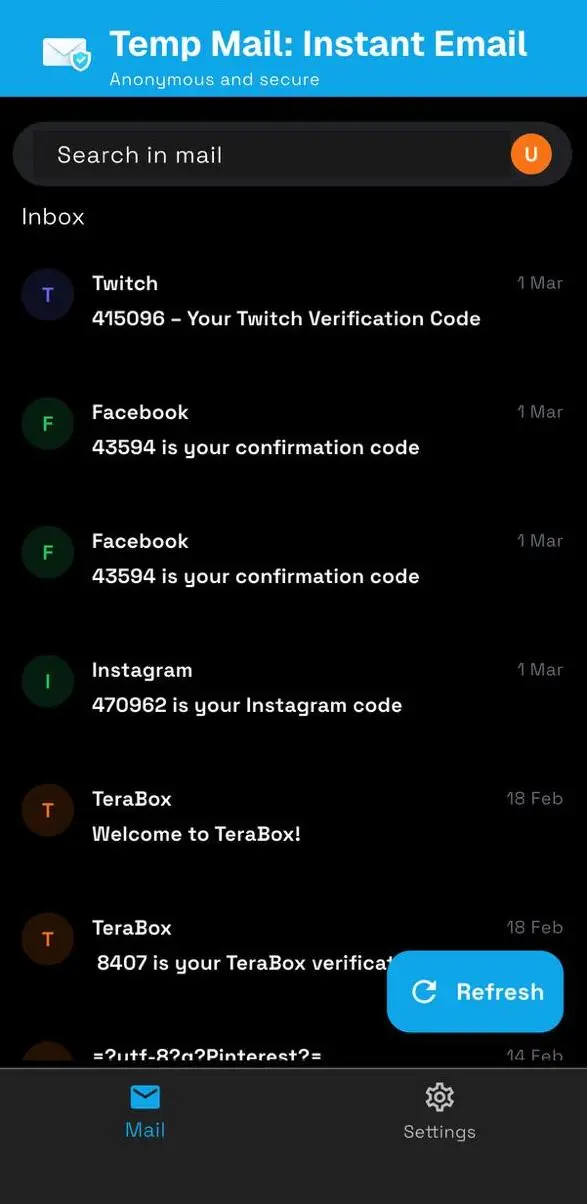
Temp mail is a short-lived email address you can use instead of your real inbox. MailBuffalo generates buffalo mail addresses on demand so you can receive verification codes, OTPs, and signup confirmations without exposing your personal email to marketers or data brokers.

MailBuffalo is a free online service that provides temporary email addresses to receive emails instantly. You can use these disposable email addresses to get verification codes, OTPs, or messages when signing up on websites or apps without sharing your personal email address.

When you use a buffalo mail address for signups, newsletters, or free trials, any follow-up spam stays in the disposable inbox instead of your primary account. That keeps your real email clean and makes it easier to walk away from services you no longer want.

Yes. MailBuffalo works from anywhere with an internet connection, including Buffalo, NY. Whether you are testing a local service, signing up for a community newsletter, or verifying an account, you can use a temporary address to limit spam in your everyday inbox.

Select an email address from the MailBuffalo website or app, paste it into the signup form, then return to MailBuffalo to read the incoming message. Most verification emails arrive within seconds.

No. MailBuffalo addresses are receive-only. They are built for quick verifications and testing, not for outgoing mail or long-term communication.

Most messages arrive within a few seconds. During heavy traffic or sender delays, allow up to five minutes before trying again or switching to another address.

Yes, for low-risk signups and app testing. Because addresses are temporary and shared infrastructure, avoid using them for banking, medical records, or any account where long-term access matters.

We handle messages securely and do not sell your data. Treat temp mail like a public inbox: fine for OTPs and trials, not for sensitive personal information.

Wait a few minutes and refresh the inbox. Some senders block disposable domains. If the message still does not appear, try another address or contact us through the feedback page.

Addresses are meant for short-term use. Availability can vary by domain and demand. For one-time verifications, copy any codes promptly after they arrive.

You can start with a browser inbox right away. The mobile app adds convenience if you need temp mail on the go, but an account is not required for basic receiving.

Still have a question?

Get the MailBufflao app

Keep disposable inboxes just a tap away. Generate addresses, receive verification codes, and copy OTPs directly from your phone.

  • Instant notifications for incoming verification emails.
  • Quick copy of codes and links into other apps.
  • Same privacy‑first, temporary inboxes as the web.
Get the App
Scan the QR code or tap a store to download the app